








#
  • Dashboard
  • dashboard4
    • Ecommerce
    • Project
    • Crypto
    • Education
  • apps
    • Calendar
    • Profile
      • Profile
      • Setting
    • Projects Page
      • Projects
      • Projects Details
    • To-Do
    • Team
    • API
    • Ticket
      • Ticket
      • Ticket Details
    • Email Page
      • Email
      • Read Email
    • E-shop
      • Cart
      • Product
      • Add Product
      • Product-Details
      • Product list
      • Orders
      • Orders Details
      • Orders List
      • Checkout
      • Wishlist
    • Invoice
    • Chat
    • File Manager
    • bookmark
    • kanban board
    • Timeline
    • FAQ
    • Pricing
    • Gallery
    • Blog Page
      • Blog
      • Blog Details
      • Add Blog
  • widgets
  • Component
  • ui kits
    • Cheatsheet
    • Alert
    • Badges
    • Buttons
    • Cards
    • Dropdown
    • Grid
    • Avtar
    • Tabs
    • Accordions
    • Progress
    • Notifications
    • Lists
    • Helper Classes
    • Background
    • Divider
    • Ribbons
    • Editor
    • Collapse
    • Shadow
    • Wrapper
    • Bullet
    • Placeholder
    • Alignment Things
  • advanced ui12+
    • Modals
    • OffCanvas Toggle
    • Sweet Alert
    • Scrollbar
    • Spinners
    • Animation
    • Video Embed
    • Tour
    • Slider
    • Bootstrap Slider
    • Scrollpy
    • Tooltip & Popovers
    • Rating
    • Prismjs
    • Count Down
    • Count Up
    • Draggable
    • Tree View
    • Block Ui
  • icons
    • Fontawesome
    • Flag
    • Tabler
    • Weather
    • Animated
    • Iconoir
    • Phosphor
  • misc
  • Map & Charts
  • map & charts
    • Google Maps
    • Leaflet map
    • Vector map
  • chart
    • Chart
    • Apexcharts
      • Line
      • Area
      • Column
      • Bar
      • Mixed
      • Timeline & Range-Bars
      • Candlestick
      • Boxplot
      • Bubble
      • Scatter
      • Heatmap
      • Treemap
      • Pie
      • Radial bar
      • Radar
  • Table & forms
  • table
    • Basic Table
    • Data Table
    • List Js
    • Advance Table
  • forms elements
    • Form Validation
    • Base Input
    • Checkbox & Radio
    • Input Groups
    • Input Masks
    • Floating Labels
    • Datetimepicker
    • Touch spin
    • Select2
    • Switch
    • Range Slider
    • Typeahead
    • Textarea
    • Clipboard
    • File Upload
    • Dual List Boxes
    • Default Forms
  • ready to usenew
    • Form Wizards
    • Form Wizards 1
    • Form Wizards 2
    • Ready To Use Form
    • Ready To Use Tables
  • Pages
  • auth pages
    • Sign In
    • Sign In with Bg-image
    • Sign Up
    • Sign Up with Bg-image
    • Password Reset
    • Password Reset with Bg-image
    • Password Create
    • Password Create with Bg-image
    • Lock Screen
    • Lock Screen with Bg-image
    • Two Step Verification
    • Two Step Verification with Bg-image
  • error pages
    • Bad Request
    • Forbidden
    • Not Found
    • Internal Server Error
    • Service Unavailable
  • other pages
    • Blank
    • Maintenance
    • Coming Soon
    • Landing Pages
    • Sitemap
    • Privacy Policy
    • Terms & Conditions
  • Others
  • 2 level
    • Blank
    • Another level
      • Blank
  • support
  • 26 °C

    Mon

    +29°C

    2%

    Tue

    +29°C

    2%

    Wed

    +20°C

    1%

    Thu

    +17°C

    1%

    Fri

    +18°C

    1%

    Sat

    +16°C

    1%

    Sun

    +29°C

    1%

    • US
    • France
    • UK
    • Italy
    • Search Settings
    • Safe Search Filtering
    • Search Suggestions
    • Search History
    • Custom Search Preferences

    Recently Searched Data:

    • user management

      #RA789

    • data visualization

      #RY810

    • security protocols

      #ATR56

    • authentication methods

      #YE615

    • Data Table

      #YE615

  • Shortcut
    • Privacy Settings
    • Account Settings
    • Accessibility
    • More Settings
      • Backup and Restore
      • Data Usage
      • Theme
      • Notification

    E-shop

    Email

    Chat

    Project

    Invoice

    Blog

    Calendar

    File Manager

    Gallery

    Profile

    Task Board

  • 4
    Cart
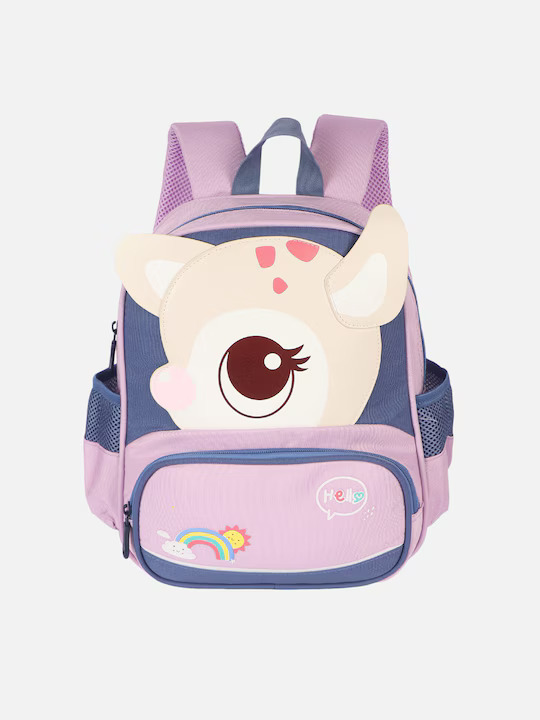
    Backpacks
    Backpacks
    size: mediumColor: Pink

    $600.50 x 1

    Women's Watch
    Women's Watch
    size: smallColor: Rose Gold

    $519.10 x 2

    Sandals
    Sandals
    size: 8Color: White

    $390 x 2

    Jackets
    Jackets
    size: XLColor: Blue

    $300.00 x 2

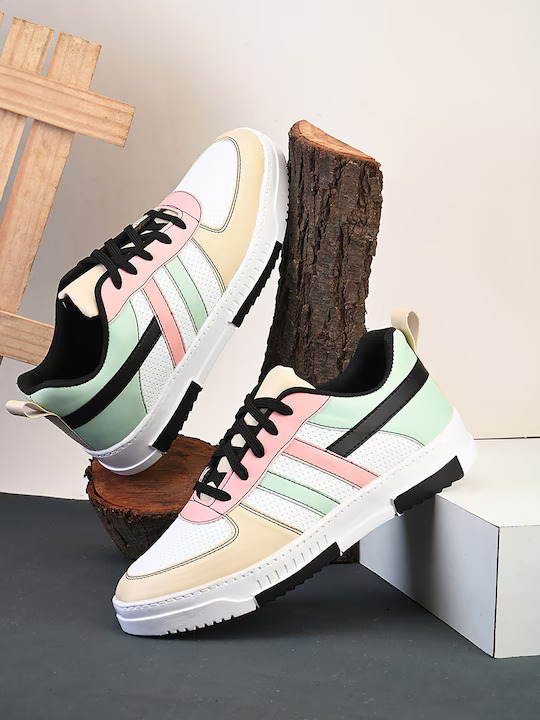
    Shoes
    Shoes
    size: 9Color: White

    $450.00 x 1

    Total $3,468.00
    View CartCheckout
  • Notification
    Gene Hart
    Gene Hartwants to edit Report.docsep 23
    Emery McKenzie
    Emery McKenzieYour order from @Shopper.com is out for delivery today!sep 23
    Simon Young
    Simon Youngshared a file called Dropdown.pdf30 min
    Becky G. Hayes
    Becky G. Hayeshas added a comment to Final_Report.pdf45 min
    Romaine Nadeau
    Romaine Nadeauinvited you to join a meeting1 hour ago
  • avtar
    • woman
      Laura Monaldo

      lauradesign@gmail.com

    • Profile Detaiils
    • Settings
    • Hide Settings
      • Hide Comments
      • Advanced comment filtering
      • Hide mssage request

      • Separated link
    • Notification
    • Incognito
    • Help
    • Pricing
    • Add account
    • Free Plan

      20k views

    • Log Out

Count up

  • Advance UI
  • Count up
Simple
Explore CountUp.js for additional examples. For more examples, visit the official CountUp.js website.
$

0

Income

0

Projects

0

%

Achievement


<div class="simple-counter">
    <div class="simple">
        <div>
            <span>$</span>
            <p class="counter" data-count="150">0</p>
        </div>
        <p><i class="ti ti-arrow-narrow-up text-success"></i>Income</p>
    </div>
    <div class="simple">
        <div class="counter" data-count="85">0</div>
        <p><i class="ti ti-arrow-narrow-down text-danger"></i>Projects</p>
    </div>
    <div class="simple">
        <div>
            <p class="counter" data-count="60">0</p>
            <span>%</span>
        </div>
        <p><i class="ti ti-arrow-narrow-up text-success"></i>Achievement</p>
    </div>
</div>
Customized
You can enhance CountUp's appearance and behavior by integrating our extended Bootstrap classes.
$

0

Respected Companies

0

Analytical Reports

0

%

Protected Payments


 <div class="customized-counter mt-4">
    <div class="customized">
        <i class="ti ti-apps"></i>
        <div class="d-flex align-items-center">
            <span>$</span>
            <p class="counter f-w-500 f-s-30 text-dark" data-count="500">0</p>
        </div>
        <p>Respected Companies</p>
    </div>
    <div class="customized">
        <i class="ti ti-report-analytics"></i>
        <div class="counter" data-count="75">0</div>
        <p>Analytical Reports</p>
    </div>
    <div class="customized">
        <i class="ti ti-brand-paypal"></i>
        <div class="d-flex align-items-center">
            <p class="counter f-w-500 f-s-30 text-dark" data-count="40">0</p>
            <span>%</span>
        </div>
        <p>Protected Payments</p>
    </div>
</div>
 
Update Data
For guidance on resetting a CountUp instance with a new value and configuration to dynamically update the displayed value, consult the official documentation of CountUp.js for detailed API usage and examples.
$

0

Income

0

Projects

0

%

Achievement


<div class="simple-counter">
    <div class="simple">
        <div>
            <span>$</span>
            <p class="counter" data-count="150">0</p>
        </div>
        <p><i class="ti ti-arrow-narrow-up text-success"></i>Income</p>
    </div>
    <div class="simple">
        <div class="counter" data-count="85">0</div>
        <p><i class="ti ti-arrow-narrow-down text-danger"></i>Projects</p>
    </div>
    <div class="simple">
        <div>
            <p class="counter" data-count="60">0</p>
            <span>%</span>
        </div>
        <p><i class="ti ti-arrow-narrow-up text-success"></i>Achievement</p>
    </div>
    <div>
        <button class="btn btn-light-primary" id="startCounter">Update Data</button>
    </div>
</div>
Under Tab Sections
Experience a demo featuring CountUp, triggered only when it enters the viewport within a tab container.
$

0

Income

0%

Projects

0

%

Achievement

0

Income

0

Projects

0

Achievement

0

Income

0

Projects

0

Achievement


            <div class="simple-counter">
    <ul class="nav nav-tabs app-tabs-primary" id="Basic" role="tablist">
        <li class="nav-item" role="presentation">
            <button class="nav-link active" id="one-tab" data-bs-toggle="tab"
              data-bs-target="#tab-one" type="button" role="tab" aria-controls="tab-one"
              aria-selected="true">Tab-1</button>
        </li>
        <li class="nav-item" role="presentation">
            <button class="nav-link" id="two-tab" data-bs-toggle="tab" data-bs-target="#tab-two"
              type="button" role="tab" aria-controls="tab-two" aria-selected="false">Tab-2</button>
        </li>
        <li class="nav-item" role="presentation">
            <button class="nav-link" id="three-tab" data-bs-toggle="tab" data-bs-target="#tab-three"
              type="button" role="tab" aria-controls="tab-three" aria-selected="false">Tab-3</button>
        </li>
    </ul>
    <div class="tab-content" id="BasicContent">
        <div class="tab-pane fade show active" id="tab-one" role="tabpanel"
        aria-labelledby="one-tab" tabindex="0">
        ...
        </div>
        <div class="tab-pane fade" id="tab-two" role="tabpanel" aria-labelledby="two-tab"
        tabindex="0">
        ...
        </div>
        <div class="tab-pane fade" id="tab-three" role="tabpanel" aria-labelledby="three-tab"
        tabindex="0">
        ...
        </div>
    </div>
</div>

            
Introduction
  • CountUp.js is a self-reliant, lightweight JavaScript class, perfect for swiftly creating animations that present numerical data in an engaging manner. Refer to the Official Website and GitHub repository for additional insights.
Use
  • The styling and script bundles for CountUp.js are distinct from our overarching bundle and need manual inclusion and initiation on associated pages.
<script src="assets/js/countup.js"></script>       
Initiation
  • Including CountUp in your project involves adding the HTML attribute to the CountUp element, accompanied by the target counting value set using. For a comprehensive range of options, including loop parameters and more, please review the detailed choices below.
  • You have the ability to programmatically control CountUp instances. To explore additional options for Smooth Scroll, refer to the official plugin site for comprehensive information.
Document Markup Guide
  • Configuring specific settings in CountUp is achieved through HTML attributes. Below are references for each. For a full range of options, please review the official documentation.
  • Copyright © 2024 ra-admin. All rights reserved 💖

  • V1.0.0
  • Need Help
Admin Customizer

it's time to style according to your choice ..!

Sidebar option
    • Vertical
    • Horizontal
    • Dark
Layout option
    • LTR
    • RTL
    • Box
Color Hint
Text size
  • sm
  • md
  • lg
Buy Now
SupportDocument